
Tirumala Tirupati Devasthanams (TTD) provides online services for pilgrims visiting Sri Venkateswara Swamy Temple in Tirumala. Visitors can use the official TTD booking portal to access services such as Special Entry Darshan, Arjitha Sevas, accommodation, donations, and other temple-related facilities.
To use services that require authentication, visitors may need to register an account and sign in using the details requested by the portal.
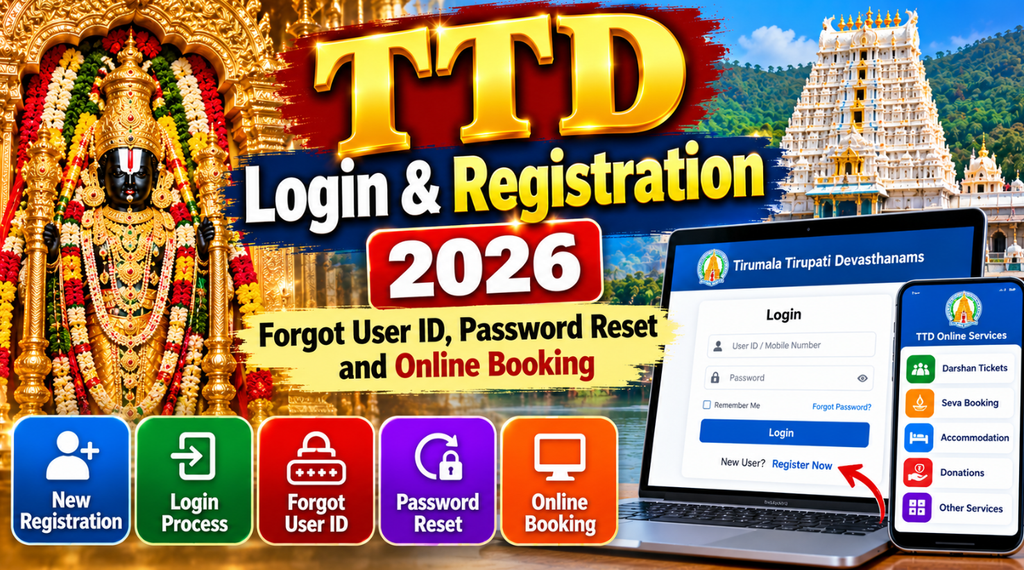
Sometimes, users forget their login credentials, cannot receive an OTP, or experience problems while accessing their accounts. Knowing the correct registration and password recovery procedures can help resolve these issues.
This guide explains how to create a TTD account, log in, recover a forgotten password, troubleshoot OTP problems, and access official online booking services in 2026.
TTD Darshan ₹500 Ticket Booking Timings, Sevas and Online Booking
What Is a TTD Online Account?
A TTD online account allows users to access the services available through the official booking portal.
Depending on the service and current portal requirements, registered users may be able to:
- Book Special Entry Darshan tickets.
- Check available darshan dates and time slots.
- Access eligible Arjitha Seva bookings.
- Register for electronic-dip services.
- Check accommodation availability.
- Review booking confirmations and transaction details.
- Access other available pilgrim services.
The services displayed after login may change as TTD updates its online booking system.
TTD New User Registration 2026
Visitors who do not already have an account can check the registration option on the official TTD booking website.
Steps to Register a New TTD Account
Step 1: Open the official TTD website
Visit the official online booking portal and locate the registration or account creation option.
Step 2: Select Register or Sign Up
Choose the new-user registration option if it is available. Read the instructions displayed on the page.
Step 3: Enter your details
Provide the requested information, which may include your name, mobile number, email address, and other required details.
Make sure the information is accurate because it may be used for account verification and booking communication.
Step 4: Verify your mobile number or email
The portal may request OTP verification. Enter the code received through the verification method displayed on the official website.
Never share your OTP with another person.
Step 5: Complete the registration
Follow the remaining instructions on the screen. If the portal asks you to create a password, choose a strong and unique password that meets the stated requirements.
Step 6: Sign in to your account
After successful registration, return to the login page and use the credentials or authentication method requested by the current portal.
Registration procedures may differ as TTD updates its login system. Follow the instructions displayed on the official website rather than relying on outdated screenshots.
How to Log In to the TTD Website
Registered users can access their accounts through the official TTD booking portal.
Follow these steps:
- Open the official TTD online booking website.
- Select the login option.
- Enter the requested registered mobile number, email address, or user ID.
- Complete OTP verification if required.
- Enter your password if the login process requests one.
- Complete any additional security verification.
- Continue to the booking services available in your account.
The exact login process depends on the current authentication system. Some TTD services may use a mobile-number-and-OTP process, while other service portals may display different login fields.
Always use the correct login page for the service you want to access.
TTD Forgot User ID: How to Recover Your Login Details
If you cannot remember your TTD user ID, first check the registration confirmation or previous booking messages associated with your account.
Steps to Recover a Forgotten User ID
Step 1: Open the official TTD website.
Step 2: Check the login page for a Forgot User ID, account recovery, or similar option, if available.
Step 3: Follow the verification instructions displayed on the page.
Step 4: Use your registered mobile number or email address if requested.
Step 5: Follow the official recovery instructions to identify or regain access to your account.
If the portal does not provide a separate user ID recovery option, use the login method currently supported by TTD or contact its official support team.
Do not create another account immediately if you suspect that your existing account is still active. Multiple accounts can cause confusion when managing bookings and pilgrim details.
TTD Forgot Password: How to Reset Your Password
For users whose login page supports password authentication, the Forgot Password option can help restore account access.
Steps to Reset a Forgotten TTD Password
Step 1: Open the login page
Visit the official TTD portal and select the login option.
Step 2: Select Forgot Password
Look for the password recovery link near the login form.
Step 3: Enter the requested information
The portal may ask for your registered mobile number, email address, username, or another identifying detail.
Step 4: Complete verification
Follow the verification process provided by the official website. This may involve an OTP or another account recovery method.
Step 5: Create a new password
If the portal provides a password reset form, create a strong password that meets its requirements.
Step 6: Confirm the reset
Complete the process and return to the login page. Try signing in using the new password if the service requires one.
If the login page does not show a password recovery option, do not assume that the process is identical across all TTD services. Check the current instructions for that particular portal.
What to Do If You Are Not Receiving a TTD OTP
OTP verification may fail because of network delays, incorrect contact details, temporary service interruptions, or message filtering.
Try these troubleshooting steps:
- Confirm that you entered the correct registered mobile number.
- Check whether your phone has a working mobile network.
- Wait briefly before requesting another OTP.
- Check whether your email verification message has arrived in the spam or junk folder.
- Use the resend option if it is available.
- Avoid requesting multiple OTPs in rapid succession.
- Try again later if the official website is experiencing a temporary issue.
- Contact official support if the problem continues.
Never share your OTP, password, or account verification code with an agent or an unknown person claiming to help with your booking.
TTD Login Problems and Solutions
| Problem | What you can try |
|---|---|
| Forgot password | Use the official password recovery option if available |
| Forgot user ID | Check registration messages or use the available recovery process |
| OTP not received | Verify your number, network, and message delivery |
| Login page not loading | Refresh the official website or try again later |
| Incorrect password message | Check the entered credentials and reset the password if supported |
| Account verification failure | Follow the displayed instructions or contact official support |
| Booking page not opening | Return to the official portal and reopen the service |
| Payment completed but booking not confirmed | Check transaction history and booking status before paying again |
| Registered mobile number unavailable | Contact official support for the permitted account recovery procedure |
Do not make repeated payments when a transaction status is unclear. First check the booking history and payment status through the official system.
How to Book TTD Darshan Tickets After Login
Once you can access the relevant booking service, follow the instructions displayed by TTD.
Special Entry Darshan Booking
Special Entry Darshan is a paid darshan category. The standard listed ticket price is ₹300, subject to the current official rules.
To book:
- Open the official TTD booking portal.
- Select Special Entry Darshan.
- Choose an available date and time slot.
- Enter the required pilgrim details.
- Review the ticket conditions and total amount.
- Complete payment through the official payment facility.
- Save the booking confirmation.
Ticket availability depends on the published quota and the selected date.
Arjitha Seva Booking
TTD offers various religious services through its online system. Some services may be available through advance booking, while others use an electronic-dip process.
Select the relevant seva and follow its registration, selection, payment, and reporting requirements.
Accommodation Booking
Visitors can also check accommodation options through the official TTD booking system.
Select the relevant location and dates, check room availability, review the tariff, and follow the displayed booking procedure.
Accommodation and darshan reservations are separate services unless a specific offer explicitly states otherwise.
Important Safety Tips for TTD Account Users
- Access login and booking pages through the official TTD website.
- Check the website address before entering your credentials.
- Never share OTPs or passwords with anyone.
- Avoid unofficial websites that promise guaranteed tickets.
- Do not pay agents who claim they can recover your account using your password.
- Use a unique password if the portal requires password authentication.
- Keep your registered mobile number and email address accessible.
- Save booking confirmations and payment receipts.
- Check transaction history before repeating an unsuccessful payment.
- Contact official support for account recovery issues that cannot be resolved through the portal.
Frequently Asked Questions About TTD Login and Registration
How do I register for a TTD account in 2026?
Visit the official TTD booking portal, select the available registration option, enter the requested information, complete verification, and follow the instructions to finish account creation.
How can I log in to the TTD website?
Open the official booking portal and use the authentication method currently displayed. This may involve a registered mobile number, OTP, email address, user ID, or password, depending on the service.
How do I recover my forgotten TTD password?
If the login page supports password authentication, select Forgot Password and follow the official verification and reset instructions.
What should I do if I forget my TTD user ID?
Check your registration confirmation and previous booking messages. If the portal provides a user ID recovery option, follow its instructions. Otherwise, contact official support.
Why am I not receiving a TTD OTP?
Possible reasons include network problems, message delays, incorrect contact information, or temporary service interruptions. Verify your details, wait briefly, and use the resend option if available.
Can I book TTD darshan tickets without logging in?
Booking requirements depend on the current service and portal. Follow the official instructions for the selected darshan category.
Is TTD registration free?
Account registration and ticket booking are different processes. Check the official portal for the current registration requirements. Darshan tickets, sevas, donations, and accommodation may involve separate charges.
What is the official TTD booking website?
The official online services portal is accessible through the TTD website and its authorised booking system. Use the official links listed below to avoid lookalike websites.
What should I do if my payment is deducted but no ticket is issued?
Check your transaction history and booking status. Avoid paying again until you understand the first transaction’s status. If the booking remains unconfirmed, contact the official support team using the payment details requested by TTD.
Important Links
| Service | Official link |
|---|---|
| TTD Official Website | https://www.tirumala.org/ |
| TTD Online Booking Portal | https://ttdevasthanams.ap.gov.in/ |
| TTD Services Portal | https://services.tirupatibalaji.ap.gov.in/ |
| Darshan and Seva Information | https://www.tirumala.org/AdvanceBooking.aspx |
| TTD Official Mobile App | Search for TTDevasthanams by the official developer in the Google Play Store |
| TTD Support Information | Open the Contact Us section on the official TTD website |
Note: Login pages, registration procedures, and password recovery options may differ between TTD services. If a direct page has changed, open the official TTD website and navigate to the relevant service from there.
1 thought on “TTD Login and Registration 2026: Forgot User ID, Password Reset and Online Booking”